Manufacturing leaders face a critical challenge: collecting vast amounts of welding process data without a systematic way to transform it into actionable intelligence. Welding data historian MES integration bridges this gap by connecting real-time thermal monitoring systems with Manufacturing Execution Systems (MES) to create a unified data ecosystem that drives Industry 4.0 transformation.
This guide explores how modern manufacturers are deploying integrated welding data historians to achieve real-time production analytics, predictive quality control, and seamless ERP connectivity—transforming raw sensor data into competitive advantage.
Key Insight: An integrated welding data historian links every weld’s process data to its quality outcome, so defect escapes and OEE losses can be traced to a cause instead of estimated.
Understanding the Welding Data Historian Architecture
A welding data historian is more than simple data logging—it’s a time-series database optimized for high-frequency industrial process data with built-in analytics capabilities. When integrated with MES platforms, it creates a bidirectional data flow that enables both real-time control and long-term strategic optimization.
Core Components of the Integrated System
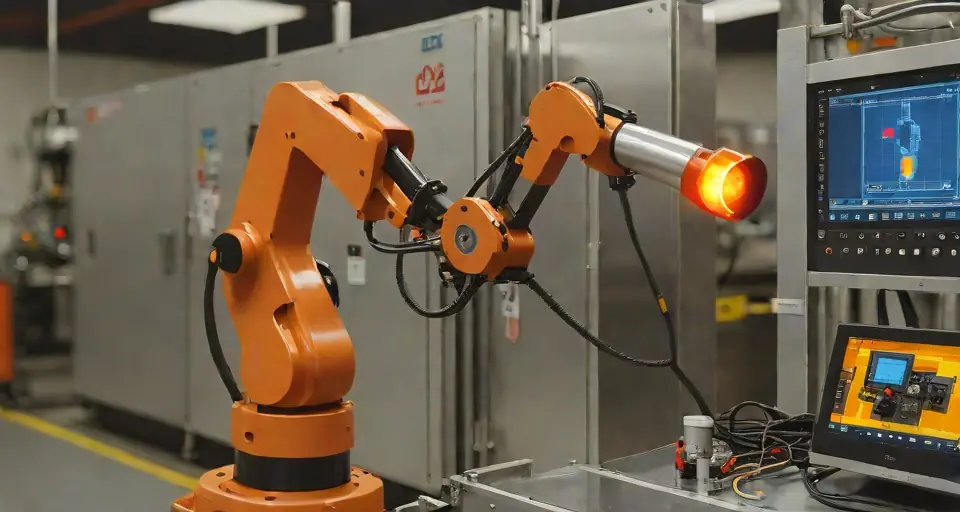
Process Data Collection Layer: Thermal cameras, arc sensors, voltage/current monitors, and electrodes position encoders capture welding parameters at sampling rates that range from tens of hertz for thermal video to the kilohertz range for arc voltage and current. Thermal monitoring systems like HeatCore capture the weld pool with the HeatCam IR-C thermal camera at up to 25 Hz, building a continuous thermal record of every weld. The real-time thermal monitoring that feeds the historian is the front end of this architecture; you can browse the HeatCore product line to compare the cameras and edge units that generate these streams.
Data Historian Middleware: Specialized time-series databases, commercial process historians or open-source time-series stores, handle the velocity and volume of welding process data. These systems compress the stored series so that long retention stays affordable, while keeping the resolution that later analysis needs.
MES Integration Gateway: Standard protocols including OPC-UA, MQTT, and REST APIs enable seamless connectivity between the historian and the plant MES platform.
Analytics and Visualization Layer: Business intelligence tools, digital dashboards, and machine learning pipelines transform raw data into production metrics, quality alerts, and predictive insights accessible to operators, engineers, and management.
Industry 4.0 Welding: From Reactive to Predictive Quality Control
Traditional welding quality management relies on post-weld inspection—detecting defects after they occur. Integrated welding data historian systems enable a paradigm shift toward predictive quality control where process deviations are identified and corrected in real time.
Real-Time Weld Quality Monitoring
Modern thermal monitoring systems feed continuous temperature data into the historian, enabling instant detection of weld anomalies:
| Quality Indicator | Data Source | Where the alarm limit comes from |
|---|---|---|
| Insufficient penetration | Thermal profile width | Lower limit set from welds that passed qualification |
| Excessive heat input | Peak temperature | Upper limit set from the qualified WPS and welds that passed |
| Misalignment | Temperature asymmetry | Side-to-side band measured on good joints |
| Contamination | Cooling rate anomaly | Control limits from the cell’s own production history |
The limits are not universal numbers: each one is set per joint, procedure and cell, from welds whose quality has been confirmed.
Production Analytics and OEE Optimization
Welding data historians integrated with MES provide granular visibility into production performance:
- Availability tracking: Automatic logging of arc-on time, setup delays, and unplanned stops
- Performance monitoring: Real-time comparison of actual vs. standard cycle times by weld type
- Quality metrics: First-pass yield, scrap rates, and rework percentages by work center
- Energy consumption: Correlation of welding parameters with power usage and cost per part
Best Practice: Configure automatic data retention policies—keep high-resolution process data for 90 days for troubleshooting, aggregated shift summaries for 2 years for trend analysis, and annual KPIs indefinitely for strategic planning.
MES Integration Patterns for Welding Operations
Successful welding production analytics implementations follow established integration patterns that balance real-time responsiveness with system reliability.
Level 3 MES Integration: Work Order Management
At the Manufacturing Execution System level, welding data historians provide:
Work Order-Centric Data Organization: All process data linked to specific work orders, part numbers, and serial numbers for complete traceability. This enables rapid root cause analysis when quality issues emerge downstream.
Dynamic Routing Based on Quality: Automated conditional routing where parts flagged for thermal anomalies trigger automatic inspection queues or rework paths without manual intervention.
Operator Authentication Integration: Welding operator certifications from ISO 14732 automatically validated against work order requirements before cycle start, preventing unqualified personnel from performing critical welds.
Level 4 ERP Connectivity: Business Intelligence
Integration with Enterprise Resource Planning systems enables strategic manufacturing decisions:
- Cost accounting: Accurate welding time and consumables allocation to specific jobs and cost centers
- Inventory optimization: Predictive material requirements based on historical weld deposition rates
- Quality costing: Quantification of scrap, rework, and warranty costs attributable to welding operations
- Compliance reporting: Automated generation of weld traceability reports for ISO 3834 and customer audits
Real-Time Welding Data: Capture, Storage, and Retrieval
The sheer volume of modern welding process data requires careful architecture decisions to balance accessibility with storage economics.
High-Speed Data Capture Strategies
Edge Computing Architecture: Deploying local edge servers at welding cells to preprocess and compress data before historian storage. This cuts the volume of data sent over the plant network and keeps alarm decisions local to the cell.
Conditional Data Logging: Intelligent triggering based on process state—capturing full-resolution thermal video only during active welding, logging summary statistics during idle periods, and storing exception data (deviations from WPS) indefinitely.
Data Compression Techniques: Specialized algorithms for time-series welding data reduce storage while keeping the detail that analysis needs; how much they save depends on the signal and the settings, so measure it on your own data:
- Deadband compression: Only log changes exceeding defined thresholds
- Swing door compression: Linear interpolation between key data points
- Wavelet compression: Frequency-domain representation for thermal image sequences
Long-Term Data Retention and Retrieval
Effective welding data historian MES integration requires policies for data lifecycle management:
| Data Type | Retention Period | Storage Tier | Access Latency |
|---|---|---|---|
| Raw thermal video | 30-90 days | Hot (SSD) | <1 second |
| Process parameter trends | 2-5 years | Warm (HDD) | <10 seconds |
| Quality summary records | 10+ years (regulatory) | Cold (cloud/archive) | <1 hour |
| Audit trail logs | Permanent | Archive | <24 hours |
Predictive Maintenance Through Welding Data Analytics
Beyond quality control, integrated welding data historians enable predictive maintenance strategies that extend equipment life and prevent unplanned downtime.
Electrode Wear Prediction
In resistance welding applications, electrode wear follows predictable patterns reflected in process signatures:
- Stepper current trends: Gradual current increases required to maintain nugget size indicate electrode mushrooming
- Resistance drift: Increasing contact resistance between electrode and workpiece signals surface degradation
- Thermal signature changes: Reduced heat dissipation efficiency as electrode geometry degrades
Machine learning models trained on historian data can predict electrode change requirements 50-100 welds before quality degradation occurs, enabling planned maintenance during natural production breaks.
Power Supply Health Monitoring
Welding power sources generate unique electrical signatures that indicate component health:
- Thyristor/IGBT switching characteristics monitored through primary current waveforms
- Cooling system effectiveness tracked via thermal runaway signatures
- Cable integrity assessed through resistance trending and transient response analysis
Early detection of power supply degradation prevents catastrophic failures that could damage workpieces and production schedules.
Implementing Welding Data Historian Integration: A Roadmap
Deploying a unified welding data platform requires systematic planning across technical, organizational, and process dimensions.
Phase 1: Infrastructure Assessment (Weeks 1-2)
Current State Mapping:
- Inventory existing welding equipment and data collection capabilities
- Document existing MES/ERP platforms and integration interfaces
- Assess network infrastructure capacity for additional data loads
- Review cybersecurity posture for connected manufacturing systems
Gap Analysis: Identify missing sensors, network upgrades, and software licenses required for full implementation.
Phase 2: Pilot Deployment (Weeks 3-8)
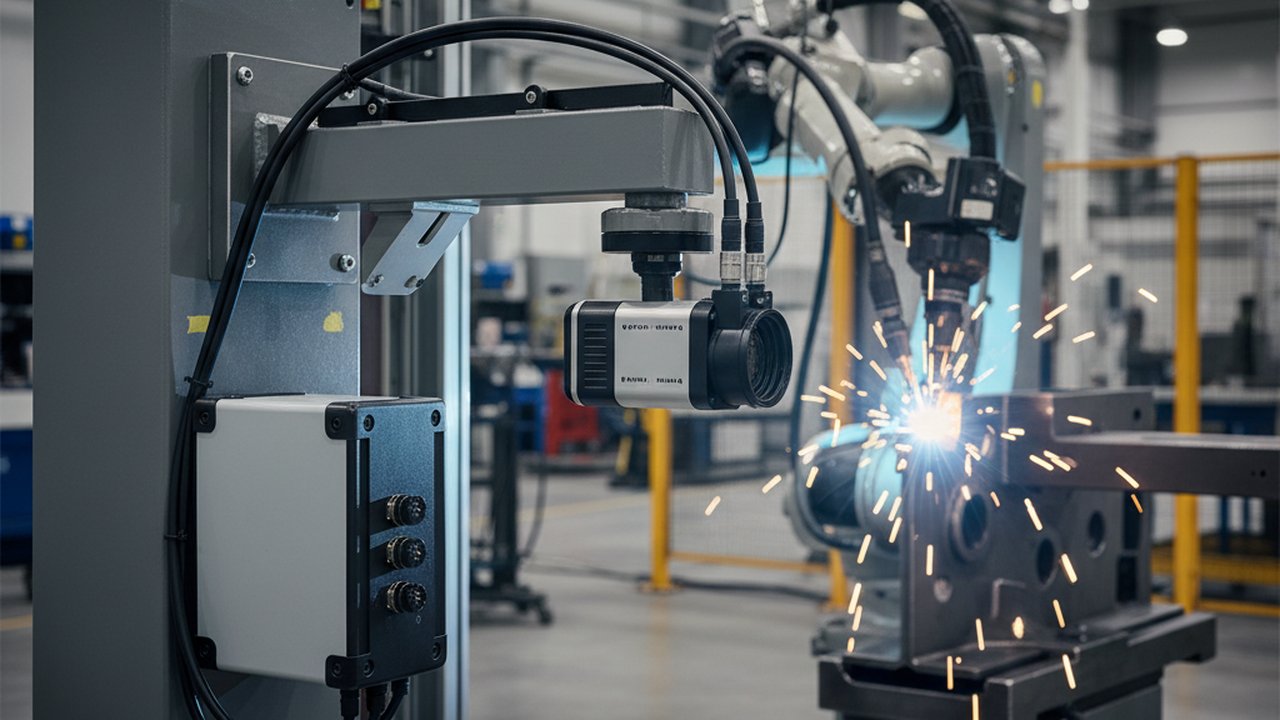
Select a representative welding cell for initial deployment—ideally a high-volume operation with stable processes. This system overview shows what the sensors record on a live weld. Configure:
- Thermal monitoring system with historian connectivity
- MES integration for work order tracking
- Initial dashboard and KPI visualization
- Data retention and backup procedures
Document lessons learned and refine architecture before broader rollout.
Phase 3: Enterprise Scaling (Months 3-6)
Expand to additional welding cells following the validated pattern:
- Standardize data historian configuration across work centers
- Implement centralized analytics and cross-cell benchmarking
- Deploy advanced features: predictive maintenance, automated reporting, AI-based quality prediction
- Train operators, quality engineers, and management on system capabilities
Change Management Critical Success Factor: Welding data historian implementations fail most often due to inadequate operator training and unclear data ownership. Establish explicit protocols for who responds to alarms, who analyzes trends, and how insights translate into process improvements.
Standards and Compliance Considerations
Integrated welding data systems must address multiple regulatory and customer requirements:
ISO 3834 Quality Requirements
ISO 3834-2:2021 requires documented evidence of welding process performance. Data historians provide:
- Objective evidence of parameter compliance with Welding Procedure Specifications (WPS)
- Automated calculation and logging of heat input per ISO/TR 18491:2024
- Complete traceability linking welders, procedures, materials, and inspection results
Automotive IATF 16949 Requirements
Automotive suppliers must demonstrate process control capabilities beyond basic ISO 9001 requirements. Welding data historian integration supports:
- Statistical process control (SPC) with automatic control limit calculations
- PPAP documentation including process capability studies with objective data
- Customer-specific requirements for real-time quality notification and containment
FDA 21 CFR Part 11 (Medical Device Welding)
For medical device manufacturers, welding data historians must include:
- Electronic signature capabilities for process parameter approvals
- Audit trails for all data modifications with non-repudiable timestamps
- Secure backup and disaster recovery procedures
The Future: AI-Enhanced Welding Data Historians
The next generation of welding data historians incorporates artificial intelligence to deliver capabilities impossible with traditional rule-based systems:
Automated WPS Optimization: Machine learning models analyze historical process data to recommend parameter adjustments that improve quality while reducing cycle time—validated through digital twin simulation before production deployment.
Zero-Defect Manufacturing: Deep learning algorithms trained on large sets of labelled weld cycles estimate defect probability while the weld is still running, enabling automatic process termination or parameter adjustment before defective welds complete.
Autonomous Quality Certification: AI systems analyzing complete process signatures can automatically certify welds meeting quality criteria, reducing inspection burden while maintaining statistical confidence equivalent to traditional volumetric testing.
Transform Your Welding Operations with Industry 4.0 Integration
Discover how HeatCore's thermal monitoring platform integrates seamlessly with your MES and data historian infrastructure to deliver real-time quality control and predictive analytics.
Schedule a Technical ConsultationConclusion
Welding data historian MES integration represents a foundational capability for manufacturers pursuing Industry 4.0 transformation. By connecting real-time thermal monitoring with enterprise systems, organizations achieve unprecedented visibility into welding operations—from individual weld quality to factory-wide performance optimization.
The technology investments required are increasingly accessible, with open-source historians, standardized protocols, and cloud-based analytics lowering barriers to entry. The manufacturers who act decisively to implement these capabilities now will establish sustainable competitive advantages through superior quality, reduced costs, and enhanced customer confidence.
As welding processes become increasingly automated and quality requirements more stringent, the question is no longer whether to implement integrated data historians, but how quickly deployment can be completed.
For more on welding quality monitoring and Industry 4.0 implementation, explore our guides on sensor fusion weld quality monitoring, digital welding quality records, and welding digital twin technology.
Therness solution: Welding parameter monitoring — Current, voltage, wire feed and gas recorded per weld, as WPS/PQR and heat-input evidence.